Description
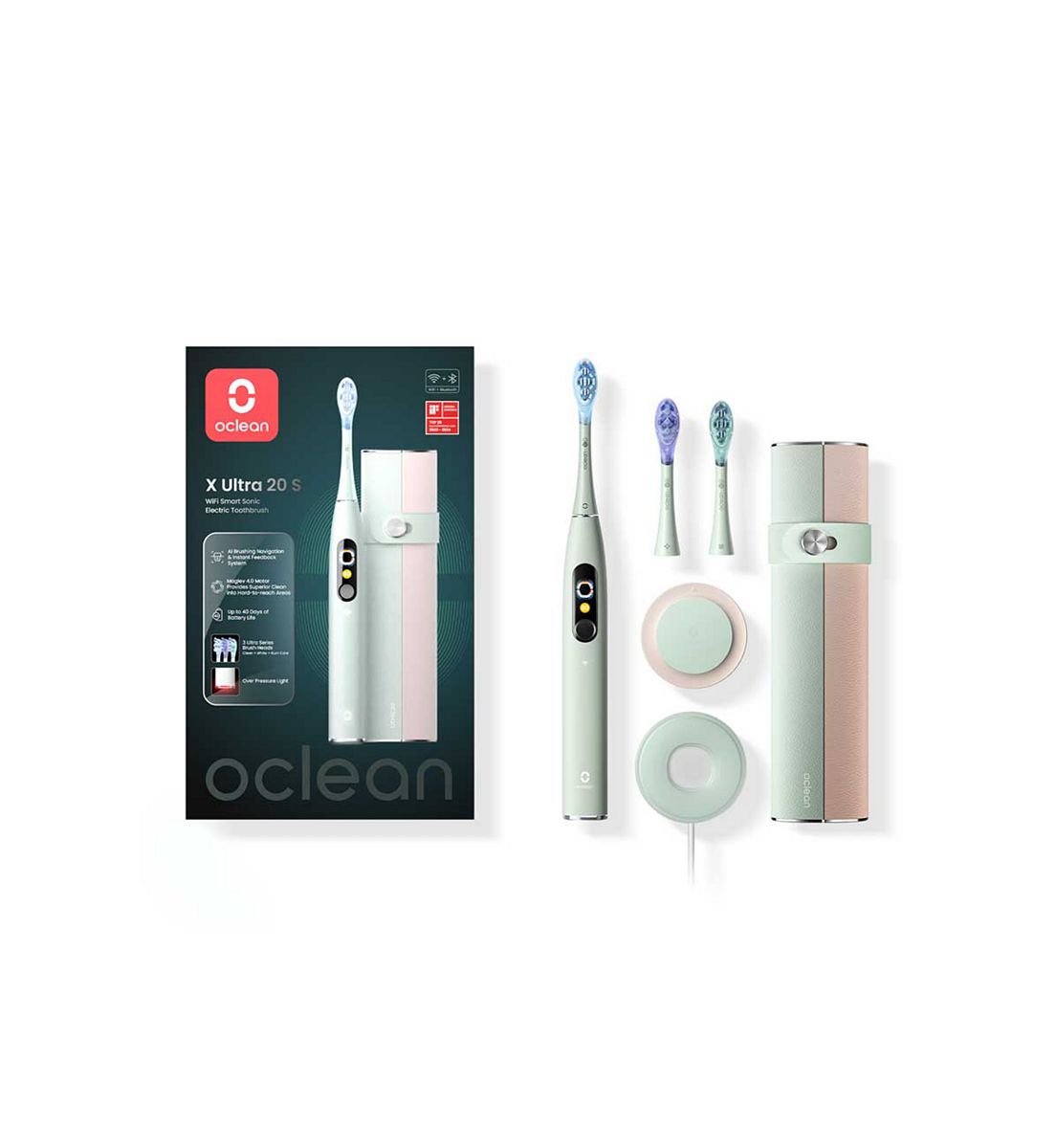
Product details Experience Visible Brushing with AI Voice Guidance. Oclean X Ultra 20 is the new generation of the X Ultra series in 2025. It offers real-time AI voice guidance via bone conduction technology to protect your gums and promote better brushing habits. Compared to the previous X Ultra, the X Ultra 20 features more precise tracking of 12 brushing areas and is equipped with the Oclean 4.0 maglev motor, capable of up to 84,000 movements per minute. Combined with the Turbo. Clean system and 40 super-wide oscillation technology, it delivers a complete, fast, and efficient cleaning experience. Key Features: AI Voice Guidance – With an AI system and Oral bone conduction tech, the X Ultra collects and navigates your brushing in real-time to protect gums and improve better brushing habits. And the over pressure reminder helps to prevent brushing too hard. Precise Brushing Tracking & Instant Feedback – Get instant feedback on your brushing performance, including missed areas and brushing score, across 12 brushing areas displayed on the smart touchscreen of the toothbrush. Personalized brushing reports with AI expert interpretation in Oclean Care+ App offer a more tailored and professional brushing experience. Brand-new Maglev 4.0 Motor – The Oclean Maglev 4.0 motor incorporates innovative 40 super-wide oscillation technology in the Unlimited Mode. With up to 84,000 movements/min and the Turbo. Clean system, it ensures a complete, fast, and efficient cleaning experience, regardless of battery level. Advanced Brush Head – Featuring 3 types of Ultra brush heads with Flex. Fit tech, they offer the best in motion fitting for the optimal interdental clean and the shock-absorbing rubber coating for the best teeth protection. Guarantee gentle deep cleaning for a uniquely clean feeling. Long Battery Life – A 4.5 hours charge lasts up to 40 days of battery life (validated by a 2-min brushing period, twice a day using the 3rd. level intensity in Unlimited Clean mode). And the low battery reminder shows when the battery is running low. Product Specifications:5 Distinctive Brushing Modes. Over Pressure Light. Work with Apple Health & Weatherkit. Festival Greetings. Mold-Resistant Nano Coating. IPX7 Waterproof How to use First-time use:A short press on ON/OFF button to activate the toothbrush and Bluetooth, after being activated, the device will be constantly in standby status. Brushing Plan:Toothbrushing will start default mode with Standard Cleaning Plan with 2 mins if no new customized brushing plan setting in APP. There will be a reminder with vibration to remind user to change the brushing area in every 30s. The toothbrush will stop operating automatically after 2 mins. Charging:Please wipe the toothbrush to dry before charging. Please keep an eye on the battery percentage, only charge it when battery is low. Do NOT overcharge or repeat charging frequently. Wall Hanging:When installing the wall hanging, be sure to place the base surface. The small arrow on the board is facing up. Install App & Toothbrushing Settings:You can use the app to customize your brushing programs automating tooth cleaning, tooth whitening and gum massaging in one brushing session. There is no need to open the Oclean App each time you brush. Simply open the app every few days to sync the brushing data. Direct Use without App Settings:You can also use the toothbrush without connecting to the app. It has a touchscreen display and an ON/OFF button. It offers touch control via the touch-sensitive screen. Brushing Performance:After brushing, the display will show the effective brushing time, the brushing scores, and the tips of the brushing area. Check Brushing Records in App:Only after the toothbrush is paired with the app and connected to Bluetooth, can the app get access to the brushing data stored in the toothbrush. Due to limited storage space, the brushing data can usually be stored for no more than 7 days. Mode Setting:Enter the mode-setting section by sliding up and down on the display. Each of the modes, such as Cleaning, Whitening and Massage, has 32 levels of cleaning intensity. After the new setting is completed, it will automatically register in the memory. Brushing intensity: Sliding up/down on the screen, the intensity will be changed by 1 level (+1 or -1); Side-sliding up/down on the screen side, the intensity will be changed by 5 levels (+5 or -5).How to Charge:Remove the charging base from the wall mount and connect it to the mobile phone charger. When the bottom of the toothbrush is placed gently above the charging base, it will automatically position itself. The display will show the battery percentage when the toothbrush is charging. A full charge usually takes about two hours. Important Charging Tips:The toothbrush runs with a fast-charge mechanism. It is recommended that the toothbrush be